
Powerful ways to improve
your university’s
equipment loan service

Online Reservations
For a great user experience and reduced admin for staff
Students will enjoy using the self-service reservation facility in Connect2’s online interface.
Simply browse the resources, very similar to online shopping. Add your items to the cart, select a reservation timeslot, and agree to the terms and conditions to finalize a booking. Equipment can be booked alongside studios, labs and other spaces.
The guided step-by-step process is intuitive and fast.
Students are able to do this confidently, without staff help, and they’ll have peace of mind that they have secured the resources they need.

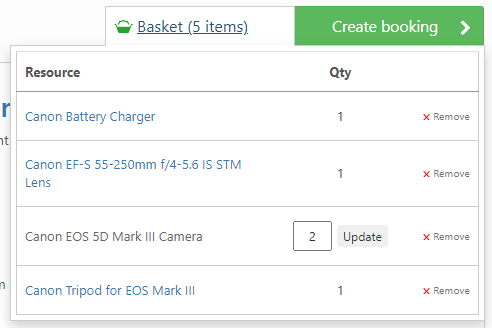

With Connect2, all the items you need can be booked in a single transaction. This has wide-ranging benefits:
-
 Management of booked items – if you need to alter the collection time, remove or add items, it’s painless when you’re dealing with a single booking
-
It’s easy to repeat complex booking requirements – just use the ‘copy’ and ‘recurring reservation’ features
-
It’s much less fiddly at the desk – there’s just one booking to look up per student
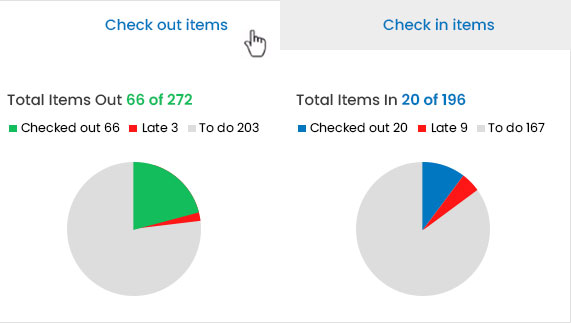
Rapid checkout/in
Fast, convenient, stress-free checkouts
Connect2 supports fast checkout of equipment, keeping waiting times to a minimum at the desk.
An online audit is maintained for all loans, eliminating the need for paperwork at checkout. Terms and conditions for borrowing equipment are accepted in advance online as part of making the reservation, saving further time.
Items can be added to existing bookings at the point of checkout, if needed. Instant checkouts are also possible without advance booking – there’s complete flexibility in Connect2 at staff discretion!
Can we use barcodes? Yes, Connect2 is compatible with barcodes and QR codes, so students and their bookings are instantly identified on the system
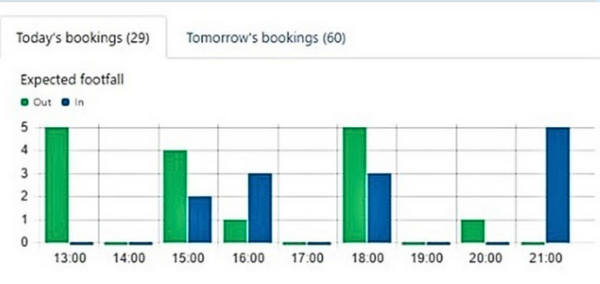
How do I know what kit to get ready? The dashboard displays all equipment coming in and going out each day
Will it predict our busiest periods to help plan staff schedules? Connect2 shows you all checkout and check-in volumes for the period ahead
Equipment inventory management
Supported with rich and visual data
With Connect2 you can see instantly who’s got each piece of equipment and when it is due back. Future availability of equipment is clearly displayed, making it easy to plan classes and training. If items are out for maintenance or need repairing, this is recorded keeping staff up to date and well informed about your inventory.
Notes and data can be added to each resource – keeping all equipment information and service histories in one central and backed up system.
How do I know which items I need to chase up? Connect2 tells you if any items are late back and if they are reserved for collection that day. You can pinpoint who has each item at any time
How can I tell who last used this camera? Usage histories are available for all items in the system, plus you get a borrowing history for each user.
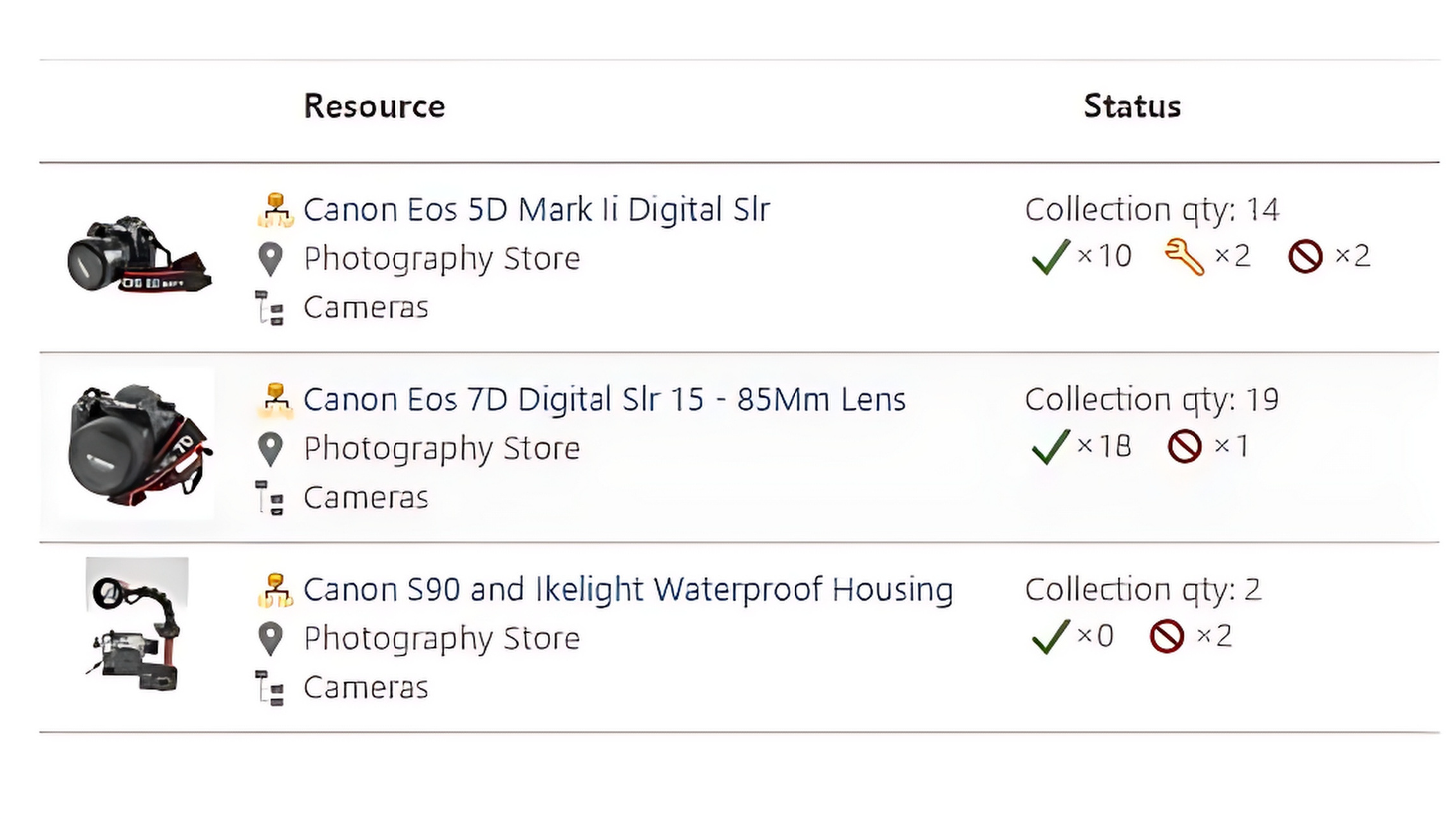
How do I know what needs fixing or is already in maintenance? Connect2 displays the status of all items: what’s in service, broken or lost.
How do I know how many items are available for use? You can quickly view how many of each equipment type is available in the store, out on loan, or in maintenance.
Student database connectivity
Authenticate users and simplify resource access
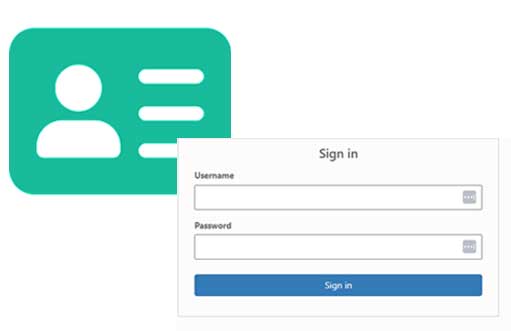
With an Active Directory or student record system connection all users are authenticated. There’s no need to register on the system or check students’ details before issuing equipment. Users will only be able to book out the items they are authorized to borrow. Additional permissions can be quickly assigned following training or inductions.
Connect2 has SAML Single Sign-On (SSO) compatibility: authentication can be achieved via Azure, Shibboleth etc
Equipment scheduling
Manage complex booking requirements
Connect2 makes it easy for staff to organize and schedule inventory for a variety of purposes. It supports faculty with class planning, making it easy to reserve items ahead in bulk.
Special views at the item and collection level enable you to see what’s available in advance, day-by-day and week-by-week. So you know that your request to schedule adequate numbers for your next session or project will always be successful. If items are already booked for use or out for repair, it’s transparent in the system with no risk of double booking and with alternative suitable dates easy to identify.
How can I ensure crucial resources are booked and ready in time for my classes? If needed, staff can book and secure items further ahead than other users. They can also be given access privileges to checkout items for classes ahead of regular store opening times.
How do I schedule training for items in high demand? Views in Connect2 help you see numbers of items available each day, making it easy to plan training for dates with sufficient availability. There’s no need to fiddle around with a calendar or attempt to book enough quantities without understanding availability first.
What happens when an item comes back broken? Connect2 can automatically notify impacted users with upcoming reservations if a booked item is broken. It also gives opportunity to assign other similar items to these bookings to avoid cancelling them.


Student satisfaction
For a great experience online and at the desk
Your student expectations for exceptional service begin with a great online experience. The great service continues at the desk with efficient handling of enquiries, quick checkout/in of items, plus helpful communications throughout the process.
Here are some common student FAQs:
How will I know what kinds of equipment are available? All resources are displayed in an online catalog.
How will I know I’m booking the right equipment for my needs? There are images and descriptions of items that help you make your selection. You can click through on any item to view details, user manuals and more images. A frequently booked with feature helps you select compatible items. Connect2 also supports class-based access to relevant resources.
How long can I borrow equipment for? The Connect2 system highlights the rules that apply to each booking and ensure that reservations fall inside allowances.
Will I have to wait in line for long to pick-up my reserved items? Items are checked out fast as each student and their reserved items are instantly identified in the Connect2 system.
How will you help me be better organized? Students are kept informed with automated reminders on what you need to pick up or return.
Will I like using Connect2 Connect2 provides an easy-to-use online experience. Customer feedback tells us that 88% of student users rate Connect2 as ‘excellent’ or ‘good’.
Customisation and control
Brand your system, organise resources and manage lending
System flexibility enables each institution to communicate their branding, control lending, and present their resources as needed.
Communications and penalties Notification and reminder series can be tailored in Connect2 to keep users informed of their pending reservations and items due for return. If items are returned late, users can be fined or suspended from the system automatically, encouraging prompt equipment returns and dramatically reducing the frequency of items going missing.
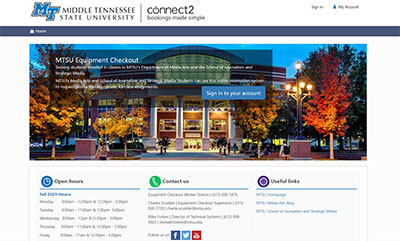
Branding Design the look and feel of your Connect2 system with a customized home page and presentation of services.
Rules and permissions Roles, permissions and booking rules can be tailored as required, by resource type, user group (e.g. by student year, program or module), completed training and staff seniority.
Resource organization Categories of equipment and search criteria can be set up to facilitate easier browsing and searching of items for users, as well as supporting inventory audits and management.




Usage analytics
Data and insights that drive smarter decisions
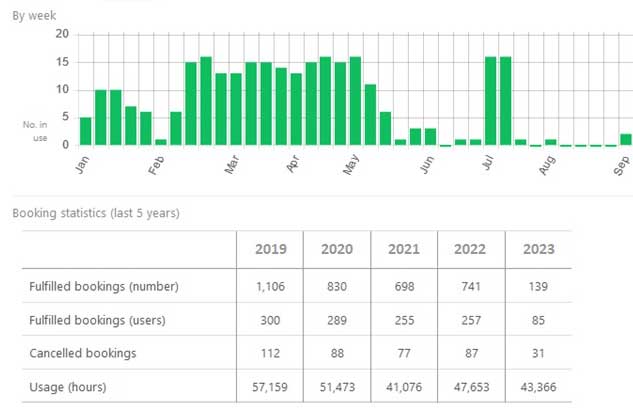
Connect2 offers powerful management information through its centralized data and reporting. Readily accessible statistics and reports improve resource management providing insights on how to increase resource utilization across student groups and loan centers.
Usage data is essential for reviews of inventory and making informed decisions on equipment purchases. Resource popularity, increasing or declining usage are all easily understood in the system.
How do I understand demand for resources and know what students might need more of?
See how often each item or collection was used at full capacity
How can I save time when carrying out inventory audits?
Connect2 gives you inventory statistics at a glance
How can I make it easier to compile resource usage data?
Download and export resource usage reports
How can I assess which items break the most or need replacing?
You can get status summaries of collections of resources, to see what quantities are broken or lost
High security
Keeping assets, systems and data safe
Keep your system secure, your data well managed, and assets safe with Connect2’s comprehensive approach to data and security. Talk to us about how we meet your IT teams requirements in all these areas and more.
-
Asset control
When using Connect2, all users are authenticated and authorized before reserving or borrowing resources. This ensures valuable or fragile equipment is only loaned to students registered for the relevant classes or with the necessary training. It adds security with all usage controlled, tracked and recorded.
-
Single Sign-On
With Connect2, security is strong, access is easy, and the administrative work is extremely low. Single sign-on (SSO) to manage access keeps security risks to an absolute tiny minimum. No student user passwords are stored in the software. Connect2 authentication requests are seamlessly redirected to the identity provider, the academic institution, which is the sole manager of the identity credentials
-
Data management
With significant numbers of student users changing each year, institutions need a robust solution for data management. A retention policy tool in Connect2 ensures personal data from inactive users is regularly cleansed from the system while retaining key analytics. Simply configure the tool to align with your data policy. The result – an uncluttered system that helps you stay in step with data regulations.